
3D track visualization for Windows
GPX Player, developed by Heptazane, is a free utility designed for Windows 10 and later versions. It focuses on the 3D playback and visualization of GPS data, providing users with an immersive way to review recorded GPX files. This program caters to users looking for a lightweight, specialized solution to view elevation profiles and terrain details of their tracks with ease, rather than a full-featured GPS editing or navigation tool.
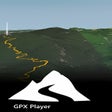
GPX Player allows users to import GPX files to visualize their movement history in a dynamic 3D environment. After loading a file, users can view their tracks laid out over detailed terrain, facilitating a comprehensive post-trip review. The program specializes in the high-fidelity playback of existing logs, allowing travelers to see the exact elevation and path of their recorded adventures. By focusing on accurate rendering of GPS data, the app provides a reliable way to experience past journeys from a new perspective.
Simple GPX route playback
A dedicated tool for 3D GPX visualization
GPX Player provides a streamlined experience for users who want to see their GPS data come to life. Rather than acting as a complex editor, it focuses on the essential task of importing and playing back GPX tracks in a 3D environment. This makes GPX Player a solid choice for outdoor enthusiasts seeking a specialized, cost-free 3D viewer on the Windows platform.
Pros
- Free to use
- Simple GPX file playback
- Supports GPX route visualization
- 3D playback view
Cons
- Limited feature set