
Automate repeat tasks with recorded macros
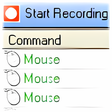
Macro Recorder automates repetitive workflows by capturing mouse and keyboard recording into a replayable macro. It tracks clicks, keystrokes, and delays, then lets you clean up steps so runs stay consistent. When a routine needs a one-click launch, EXE conversion can wrap the macro as a runnable file.
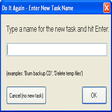
Macro Recorder adds macro scheduling for unattended runs and global hotkeys for quick start and stop control during multitasking. If a workflow needs external triggers, command-line playback helps launch macros from shortcuts or other utilities. The result is a record-first approach that keeps repetitive tasks predictable and easy to rerun.
Macro Recorder fits best when a task is consistent but annoying, like copying values between tools, renaming batches, or stepping through the same dialog boxes. Record the flow once, run it a few times, then tighten any steps that misfire. It stays approachable for power users who want speed without building a full script from scratch, especially for personal tooling and quick one-off automations.
Automating repetitive clicks and keystrokes
Playback reliability depends on what changes between runs, so dynamic pages, shifting window positions, or different latency can force small adjustments. Keeping target apps in a stable state helps a lot, and shorter macros are easier to maintain than massive catch-all runs. If you need deeper logic and text-first control, AutoHotkey is a common path, while Power Automate Desktop targets more connector-driven workflows.
Once it’s dialed in, it’s easy to treat automation like a reusable shortcut: run it, verify the output, and move on. Heavy multitasking can still introduce timing hiccups, so test on a representative workload before trusting it on important batches. For teams, documenting what a macro changes matters as much as the automation itself. Pulover’s Macro Creator is another option for similar click-and-replay jobs.
Automation that saves time every day
Macro Recorder is a practical automation utility for turning repetitive on-screen routines into repeatable runs that cut down manual clicks and reduce mistakes. It works best when workflows are stable and you can validate results after playback, making it a strong fit for busy admins, testers, and power users. For highly dynamic apps or complex branching logic, a script-first tool may be a better match.
Pros
- Cuts down repetitive busywork quickly
- Works well for stable, dialog-heavy workflows
- Easy to rerun once tuned
Cons
- Dynamic pages and shifting windows may need tweaks
- Timing can drift under heavy multitasking
- Large macros can be harder to maintain